Consent log
The Consent Log tab lets you browse and search the consent records collected for your domain directly in the dashboard. Use it to demonstrate compliance with data protection regulations, such as the GDPR, by showing evidence of user consent for the use of cookies on your website.
To open it, go to the Domain section of the CookieHub dashboard and click the Consent Log tab. The left menu contains three sections:
- Recent activity — the most recent entries recorded for the domain
- Browse by date — all entries recorded on a specific day
- Token lookup — all entries recorded for a single visitor token
The consent log must be enabled for your domain before entries are collected. See Consent Log for details about the feature and availability.
New entries may be delayed by up to 24 hours before they appear in the dashboard. Consent log entries are automatically deleted after 12 months.
Entry types
Each row in the consent log is one of two types:
- Consent — a consent action, such as the visitor allowing all categories, denying all categories or selecting individual categories. Consent entries show the resulting consent status.
- Session — a visit to your website. A session is recorded once per visitor every 24 hours, regardless of the visitor’s consent state, so session entries have no consent status.
Sessions are also recorded before consent is given. A visitor who has not made a choice yet still gets a session entry on their first visit, and because the token is stored in their browser at that point, a returning visitor who still has not consented is recorded under the same token. All of their sessions therefore appear together in Token lookup, with a consent entry added once they make a choice.
Session entries require CookieHub 2.9 or newer. Domains running an older widget version only show consent entries. See the CookieHub 2.9 release notes for details.
The consent status of a consent entry is shown as a colored badge:
- All allowed — the visitor allowed every category
- Partial — the visitor allowed some categories and denied others
- All denied — the visitor denied every optional category
Recent activity
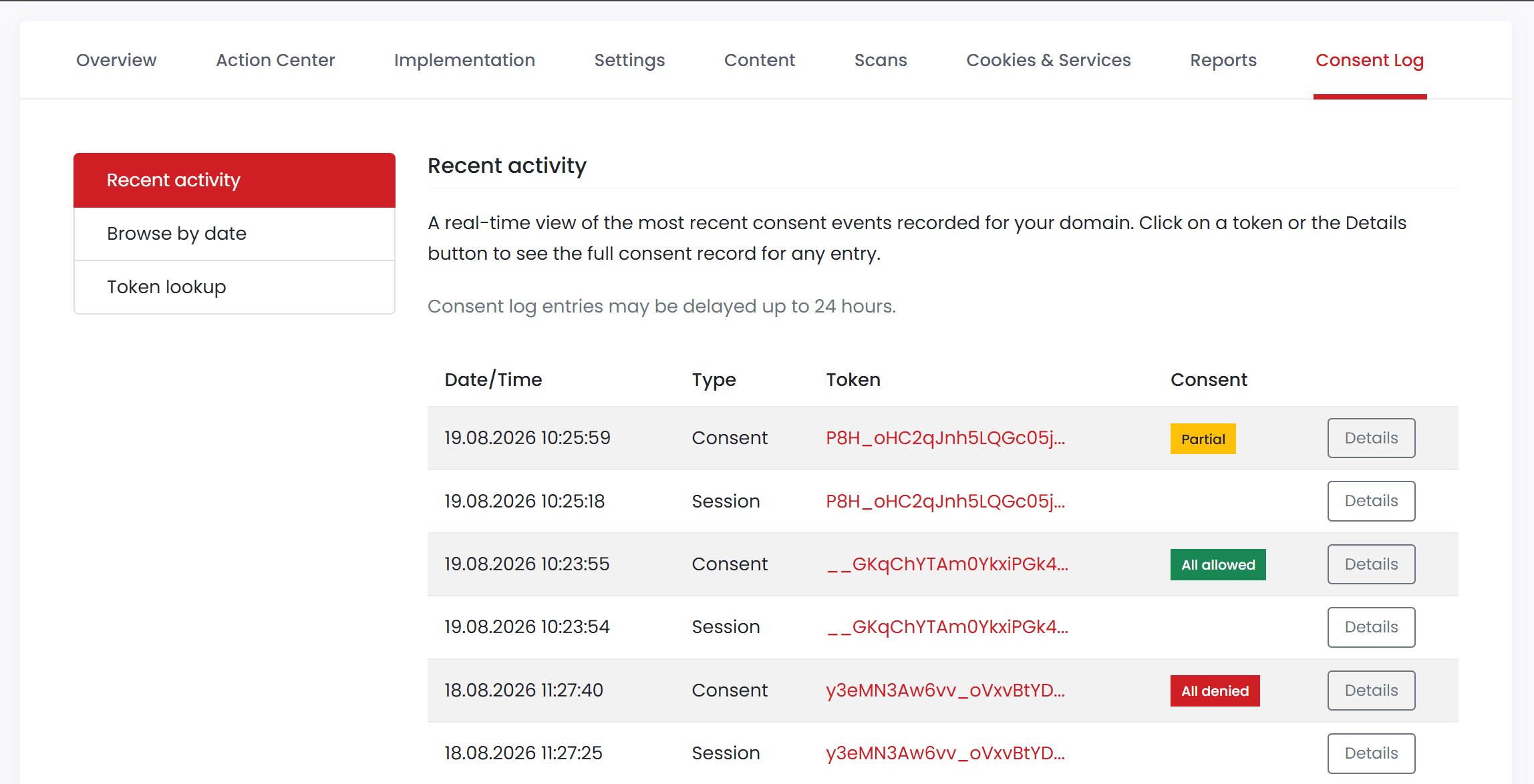
Recent activity is a real-time view of the most recent consent and session entries recorded for your domain. Each row shows the date and time, the entry type, the visitor token and, for consent entries, the consent status.
Click a token or the Details button to open the full record for an entry.
Browse by date
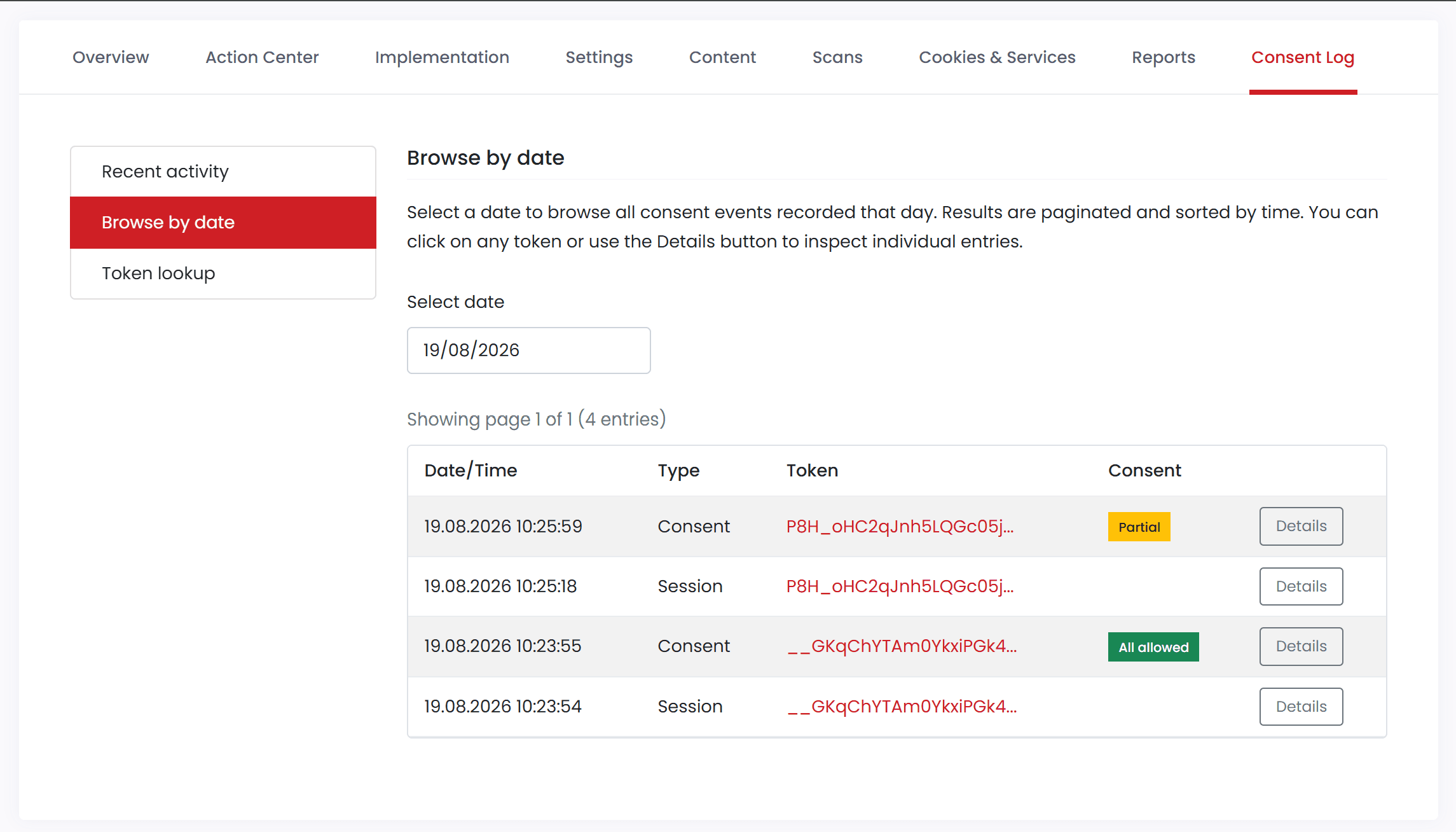
Browse by date shows all entries recorded on a single day. Select a date and the entries for that day are listed, sorted by time and split into pages. The list shows the same columns as Recent activity, and you can open any entry with its token link or the Details button.
Use this section when a visitor has given you the date and time of their consent and you need to find the matching record.
Token lookup
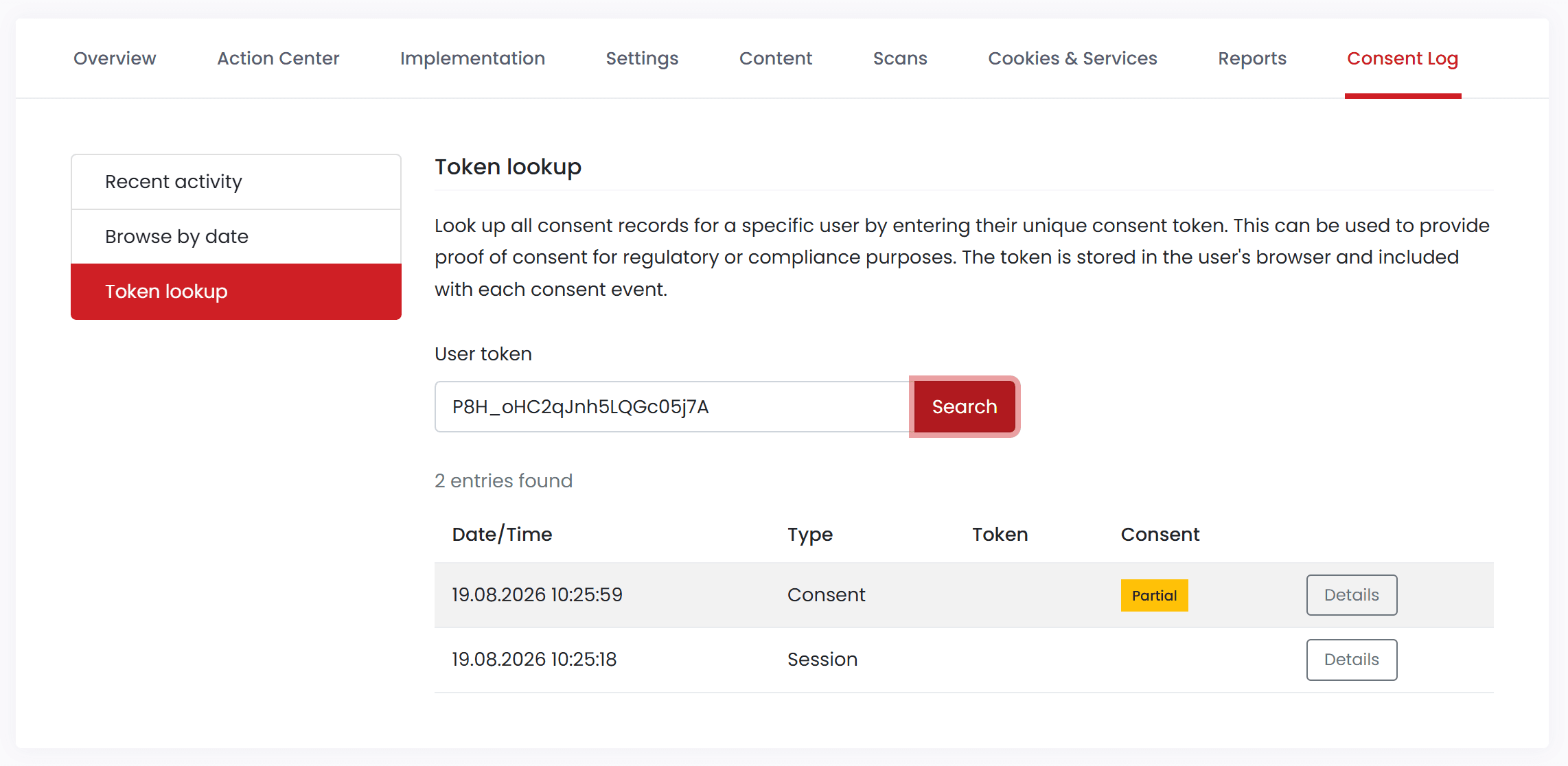
Token lookup shows every entry recorded for one visitor. Enter the visitor’s consent token and click Search to list all consent and session entries associated with that token.
The token is stored in the visitor’s browser and is included with each entry, so it is the most reliable way to locate the records for a specific individual. Visitors can find their own token in the Your choices section of the cookie declaration in the CookieHub widget — see Demonstrating consent.
Entry details
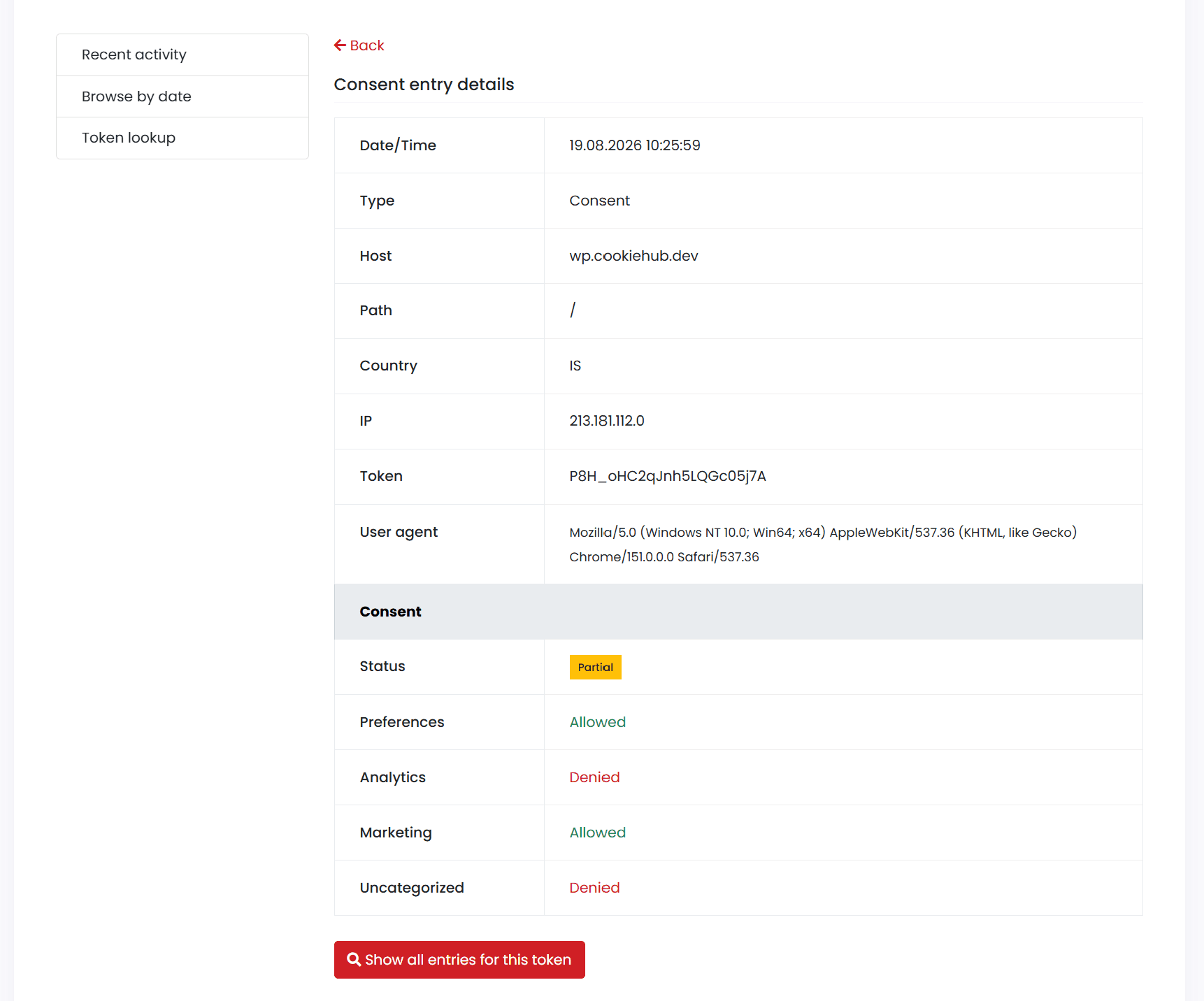
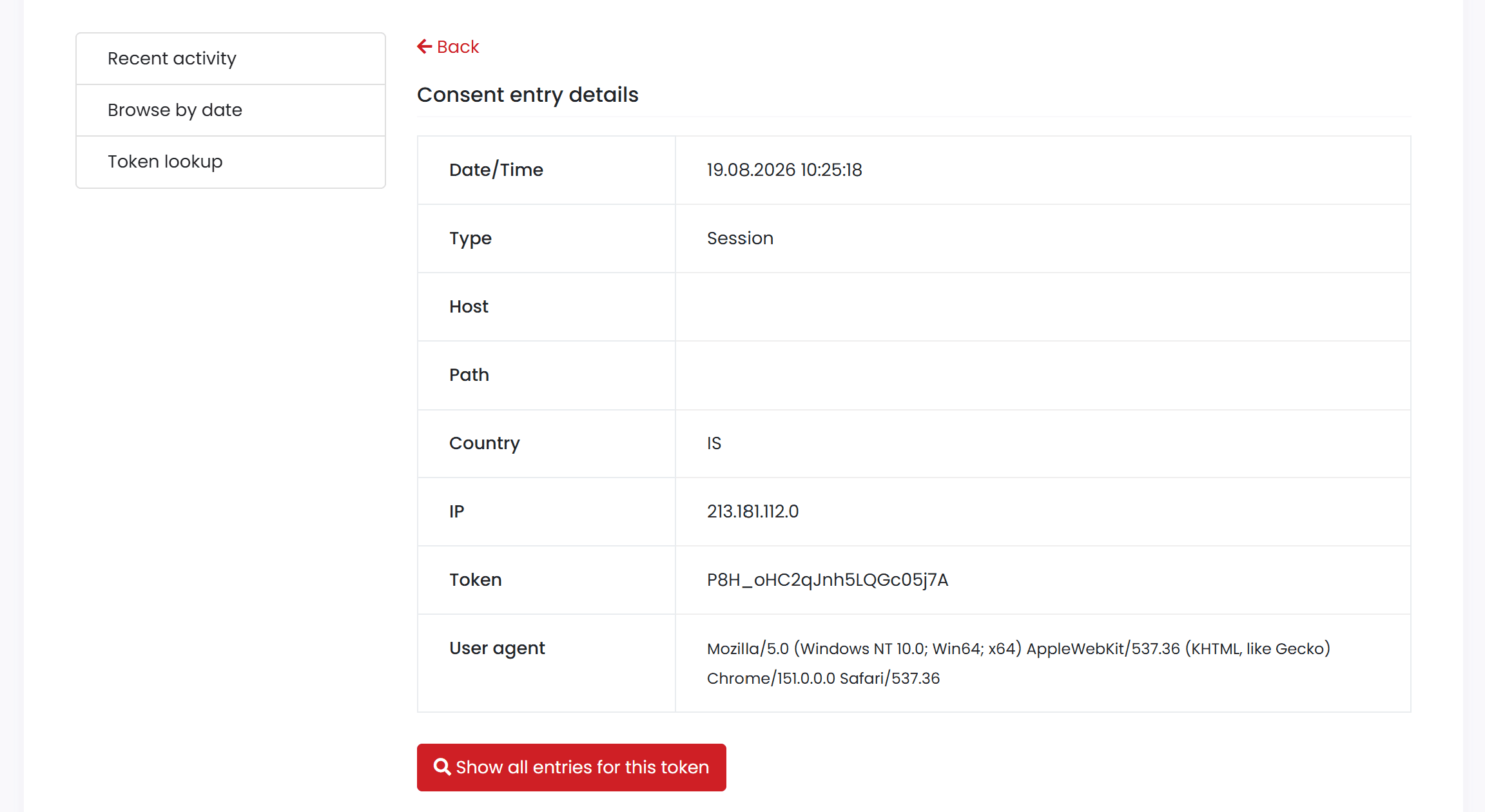
Opening an entry shows the full record. Use Back to return to the list you came from, or Show all entries for this token to jump to Token lookup with every entry for the same visitor.
All entries include the following information:
| Field | Details |
|---|---|
| Date/Time | When the entry was recorded |
| Type | Consent or Session |
| Host | The hostname where the entry was recorded |
| Path | The page path where the entry was recorded |
| Country | Country derived from the anonymized IP block |
| IP | Anonymized IP address with the last segment removed |
| Token | The visitor’s unique consent token |
| User agent | Browser and operating system information |
Consent entries also include a Consent section with the resulting status and the choice recorded for each category, such as Preferences, Analytics, Marketing and Uncategorized. The categories listed depend on the categories enabled for your domain.
Session entries show the same top section but no Consent section. Host and path may be empty for session entries, because the entry records the visit itself rather than an action on a specific page.
Opening the consent log from a DSAR
When the consent log page is opened from a DSAR request, a banner appears at the top of the page showing the data subject’s consent token and a Copy button. Paste the token into Token lookup to list all consent and session entries for that individual, then open any entry to view the full proof-of-consent record.
For more information about the data stored in the consent log, see Consent log.